
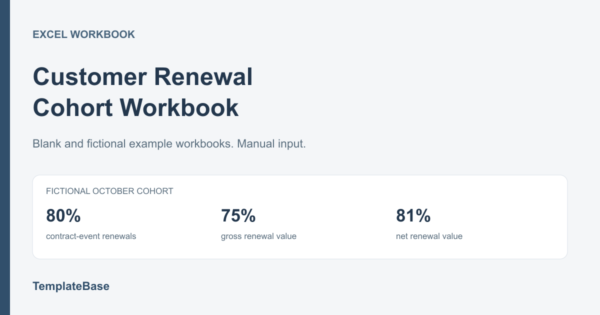
Review a defined renewal cohort without hiding pending outcomes
The Customer Renewal Cohort Workbook is an editable Excel register and review for small B2B teams managing contract renewals manually. Select a renewal due-date window, record dated outcomes and separate retained recurring value, expansion and unresolved renewals.
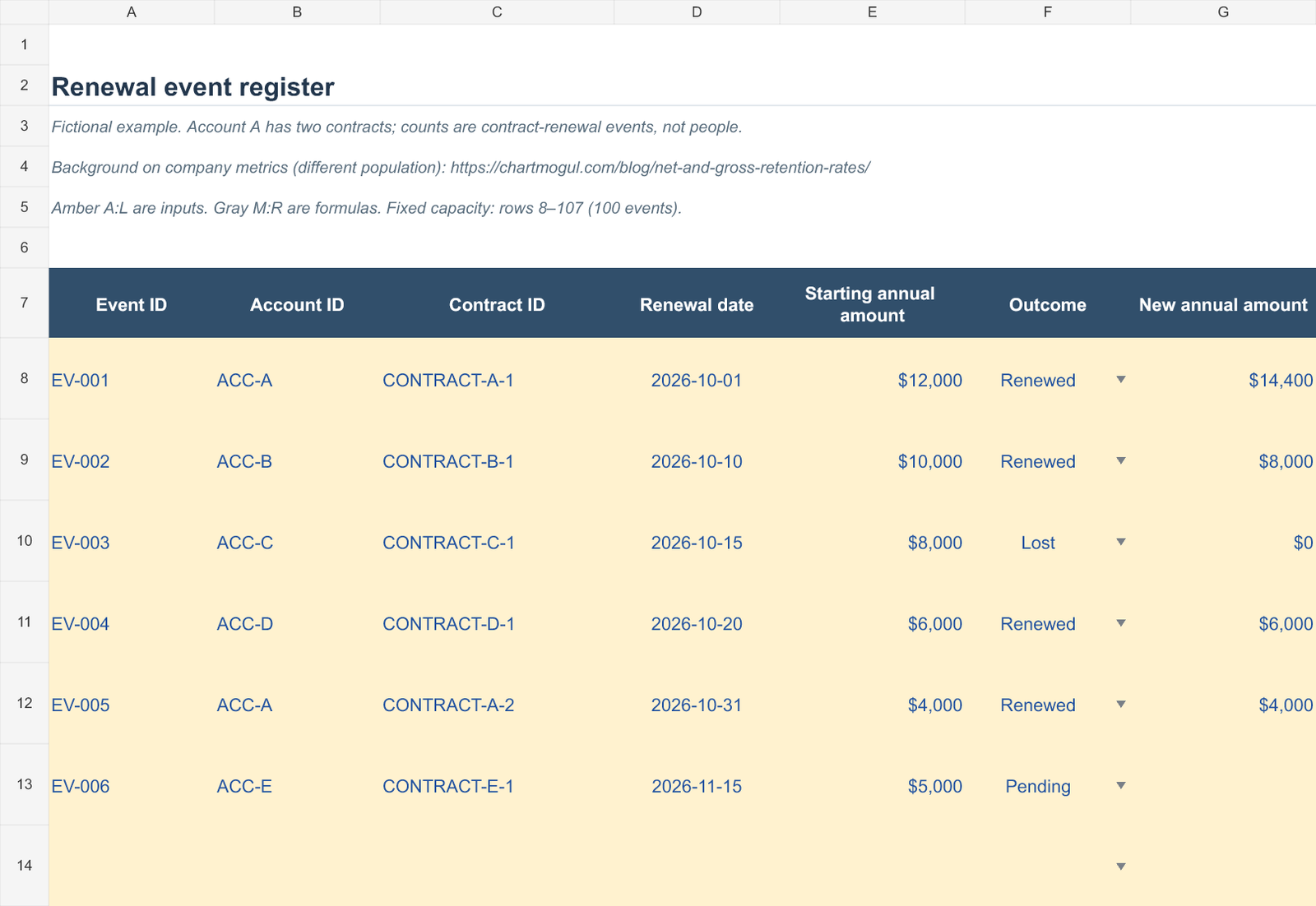
One row represents one contract renewal event. Multiple contracts can belong to the same account, so the count-based rate is an event renewal rate, not a unique-customer or logo-retention rate.
What it calculates
- A defined cohort: include renewal dates between your chosen start and end dates, including both endpoints.
- Separate value measures: starting annual recurring amount, recorded new amount, capped retained value, expansion and contraction/lost value.
- Pending-outcome handling: keep unresolved events and their starting amounts visible. Final rates remain unavailable until the selected cohort is complete.
- Record checks: flag duplicate event IDs and duplicate account/contract/date combinations, missing amounts, text dates, future outcome dates and missing outcome references.
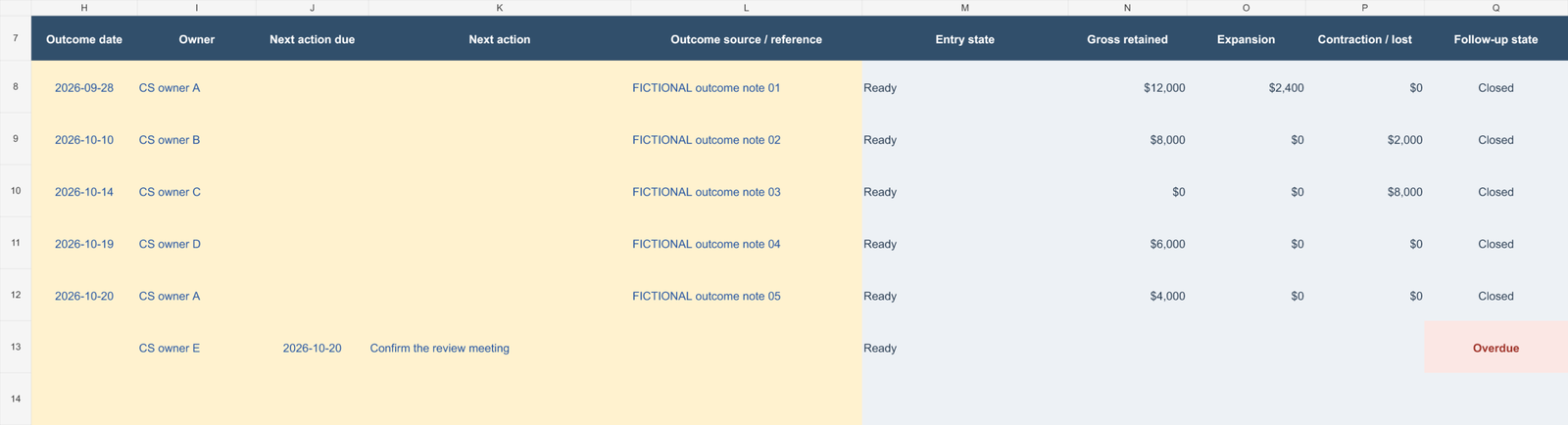
- Follow-up review: show owners, next actions and overdue pending follow-ups. The overdue count covers all register rows, including events outside the selected cohort.
Included files
- Example XLSX: 2 editable sheets, Review and Renewals, with 6 entirely fictional events.
- Matching Blank XLSX: the same working formulas with no transaction records.
- START-GUIDE.html: setup, definitions, a worked example and interpretation limits.
- README.txt and a single-business-use LICENSE.txt.
The ZIP contains 5 files. Each workbook supports 100 prepared event rows. Formula ranges do not automatically expand beyond the prepared area. Microsoft Excel is intended; native desktop Office and other spreadsheet apps were not tested.
See the actual workbook
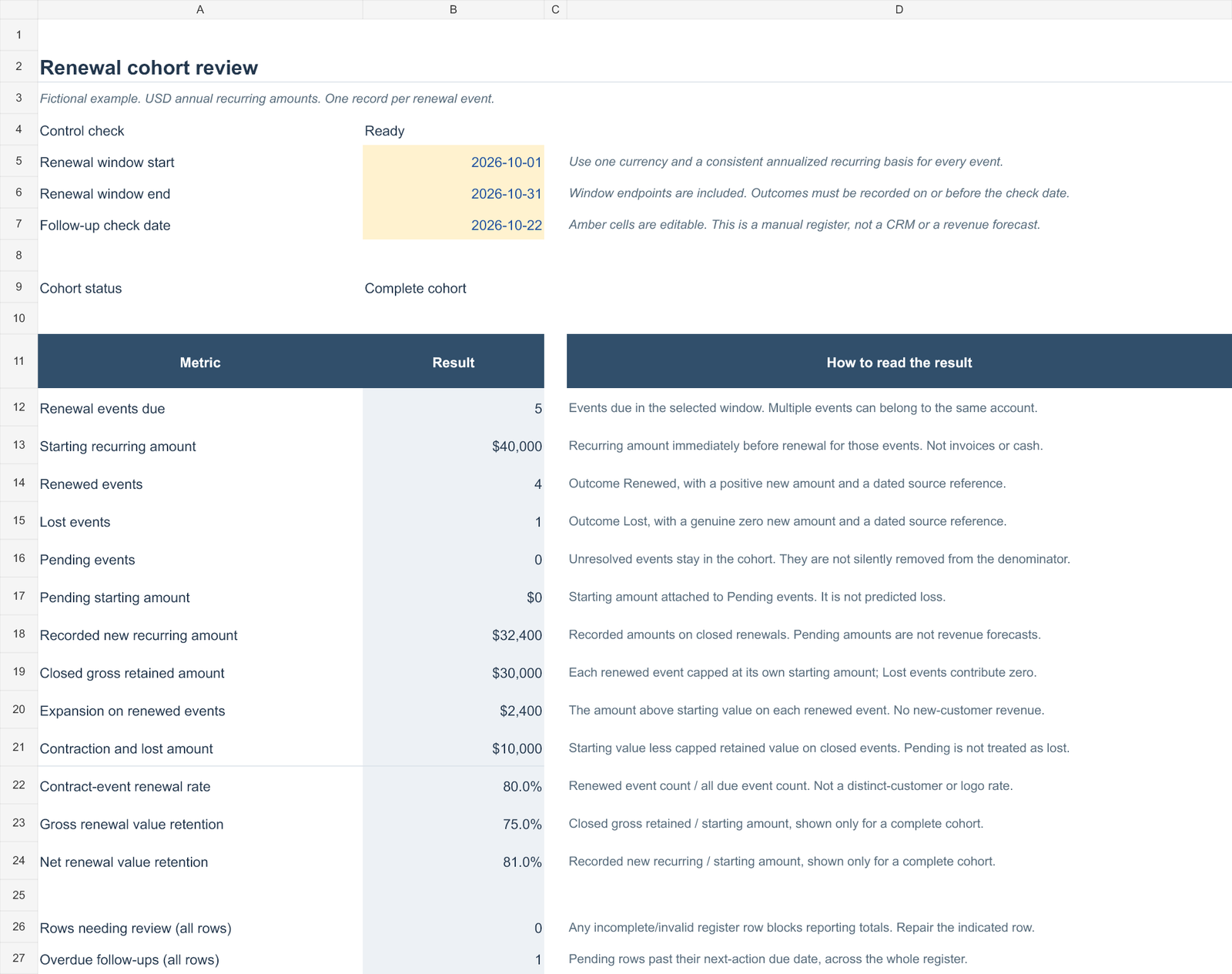
These previews show the included fictional example, not customer results.
Use it in your renewal review
- Set the due-date window and follow-up check date on Review.
- Enter one stable event ID, account ID and contract ID for each renewal.
- Use a consistent currency and annualized recurring basis. Keep Pending amounts blank; use numeric zero only for an actual Lost outcome.
- Resolve all register warnings, then review the cohort and next actions.
The fictional October case has $40,000 starting value and $32,400 new value. Capping each event at its starting value gives $30,000 gross retained value. The event, gross-value and net-value rates are 80%, 75% and 81%. These are teaching figures, not benchmarks.
Scope and related resources
This is a manual current-record review, not a company-wide GRR/NRR dashboard, cash forecast, contract-signing system or historical audit log. It does not verify documents, send messages, connect to a CRM or predict renewals. You provide the complete eligible population and review the inputs.
For dates alone, start with the free Excel renewal follow-up calendar. For the method, read the renewal-rate worked guide. For customer meeting preparation, see the QBR worked example.
After successful checkout, the ZIP link is available through your WooCommerce order. See download help and the license overview.

Reviews
There are no reviews yet.