
A workshop budget template from ticket plan to actual result
Plan one paid workshop, then reconcile what happened after discounts, refunds, provider fees and supplier invoices. This editable Excel workbook is for independent workshop hosts and small creative studios who need a clear event record before committing to the next edition.
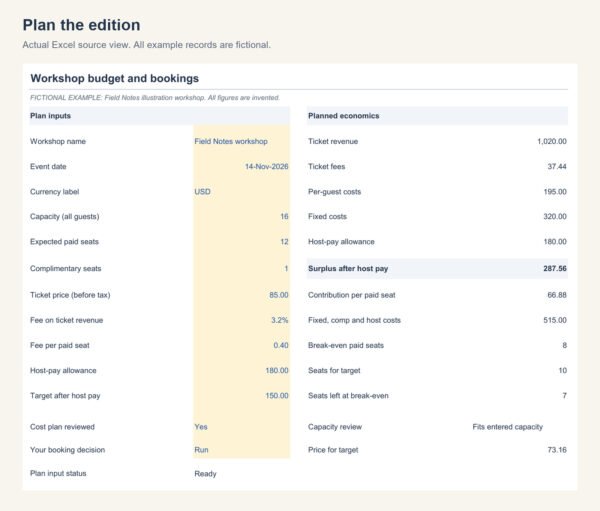
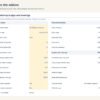
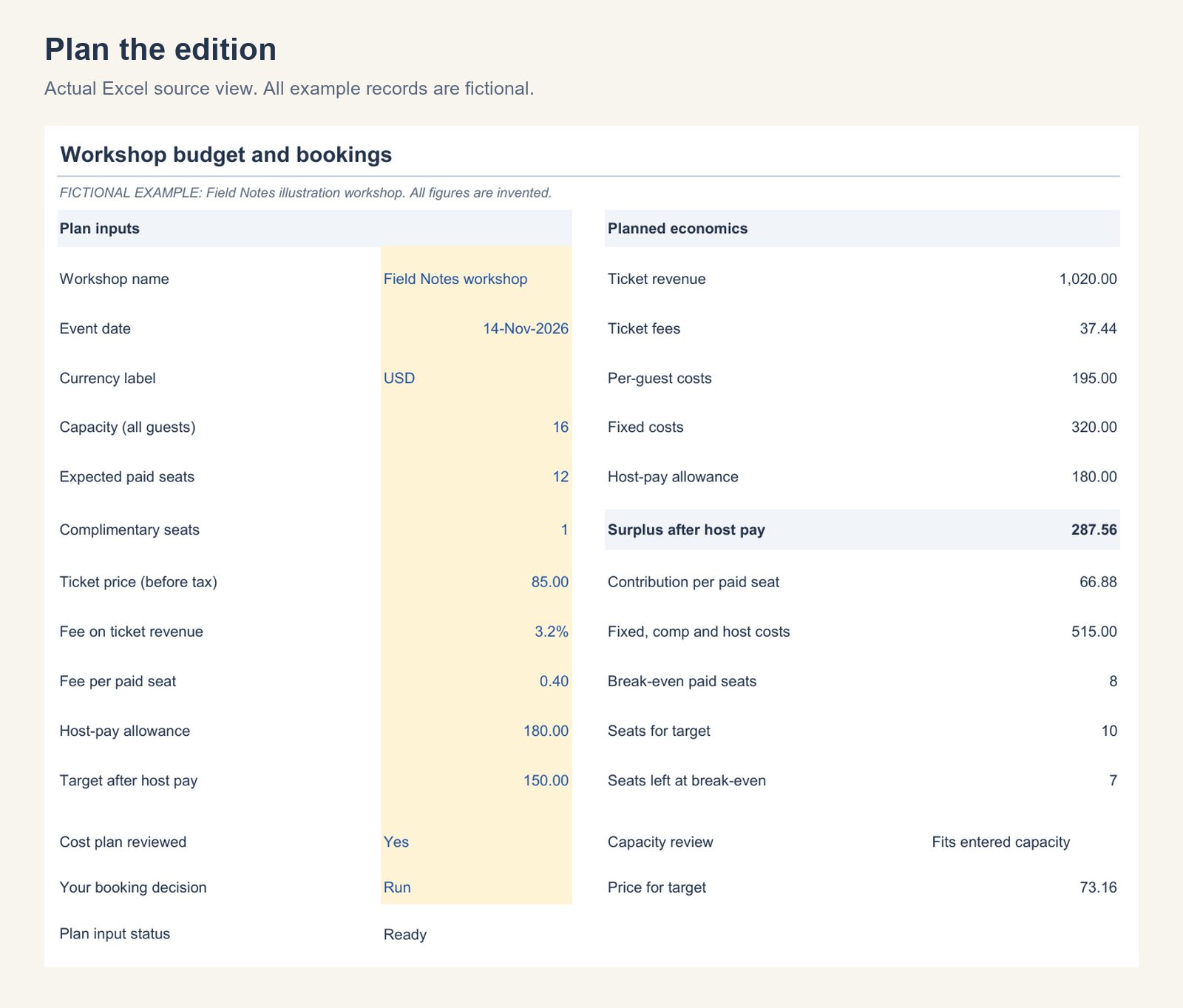
Start with fixed costs, costs per guest and a separate allowance for the host’s work. Enter a ticket price and expected paid attendance to inspect contribution, break-even seats, the seats needed for your target and a cost-based target ticket price. Complimentary guests use capacity and the per-guest cost budget.
What you receive
- Workshop_Budget_Bookings_Blank.xlsx, an editable working template.
- Workshop_Budget_Bookings_Example.xlsx, a completed fictional illustration workshop.
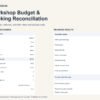
- Three sheets in each workbook: Workshop review, Costs and Bookings.
- A six-page START-HERE PDF covering the actual workflow, calculations and exceptions.
- README and a commercial-use licence for one organization or end brand.
One ZIP with five customer files. English. Version 1.0. Workbooks contain 20 cost lines and 100 order rows, with capacity inputs up to 300 guests. Formula and input cells remain editable.
Inspect the actual workbook
Refunds change more than one number
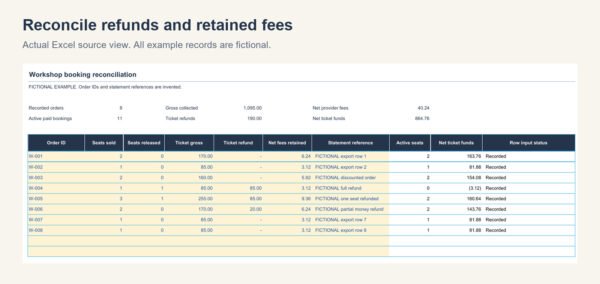
Use one row per order. Enter seats sold, cumulative seats released, actual gross ticket money after discounts, cumulative ticket refunds, net provider fees retained and a statement reference. A partial money refund can leave both seats active. A fully refunded order can still leave a retained fee. A fee credit may be entered as a negative net fee.
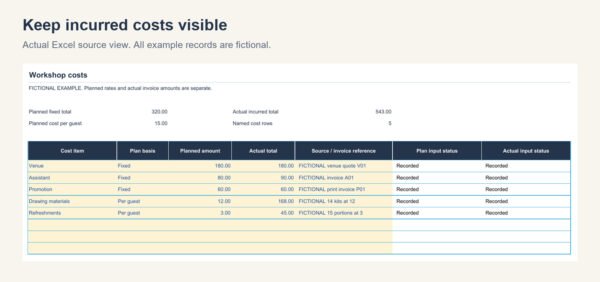
Record actual cost totals from invoices. If you bought materials before two seats were refunded, those materials do not disappear from the result. Attendance is entered separately, so a no-show is not silently treated as a refund.
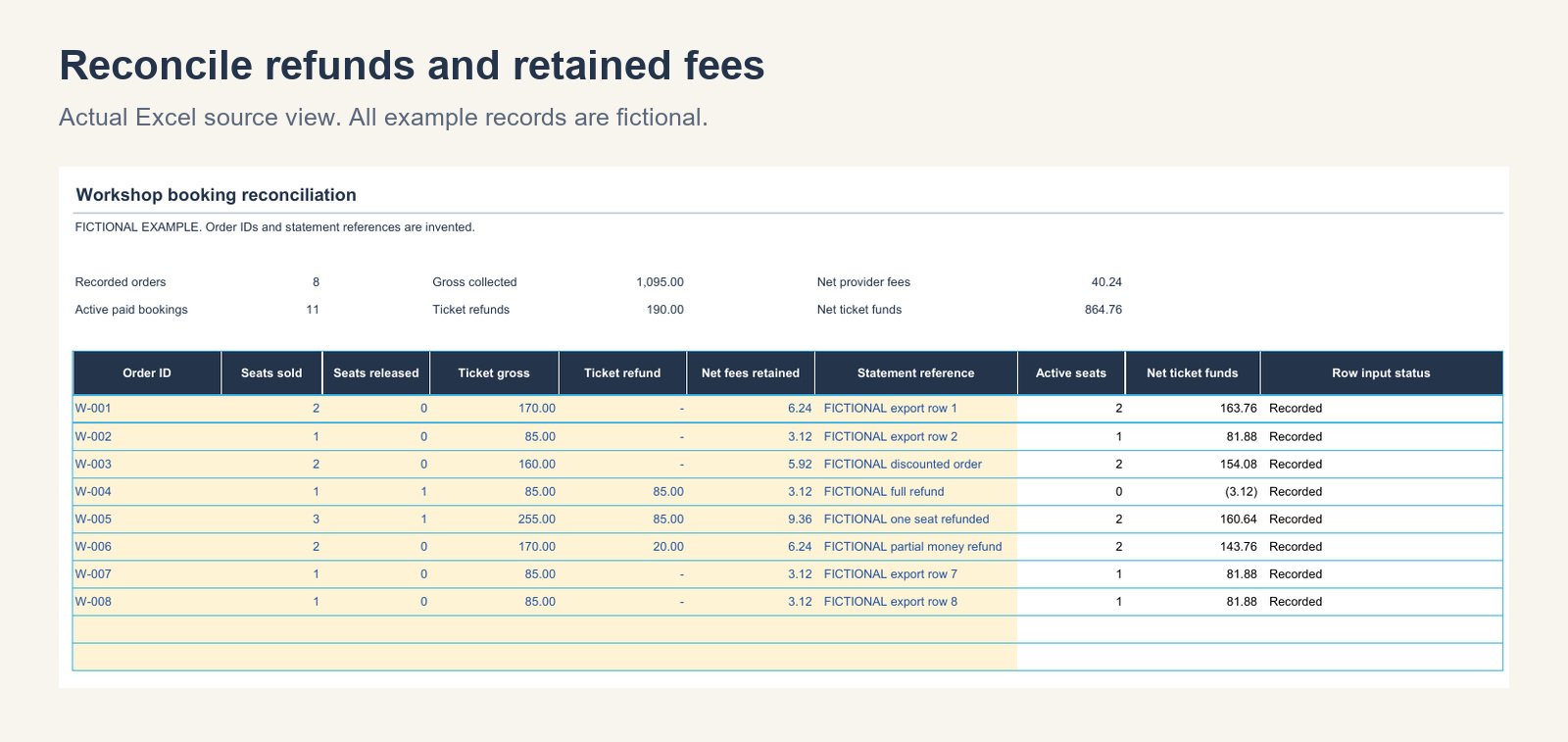
Duplicate IDs, missing inputs, refunds above the order gross and seat releases above seats sold show specific warnings. A booking error withholds affected ticket totals. Missing actual cost amounts withhold the surplus. Unknown amounts remain distinct from explicit zeros.
Follow a complete fictional edition
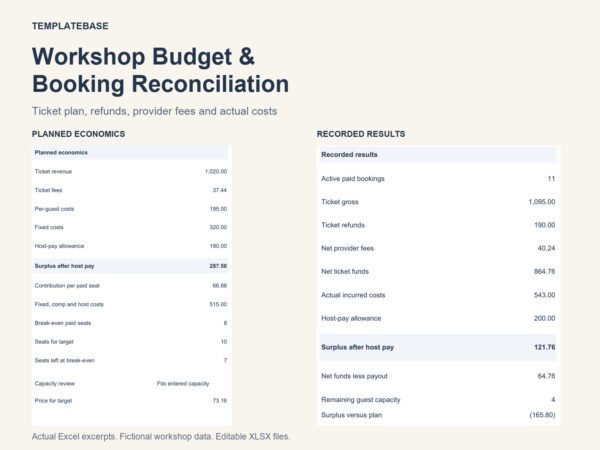
The example plans 12 paid seats at USD85 and one complimentary guest. Fixed costs of 320, per-guest costs of 15, a host allowance of 180 and assumed fees of 3.2% plus 0.40 per paid seat produce a planned surplus of 287.56. Break-even is 8 paid seats. A 150 surplus target requires 10 paid seats at that ticket price.
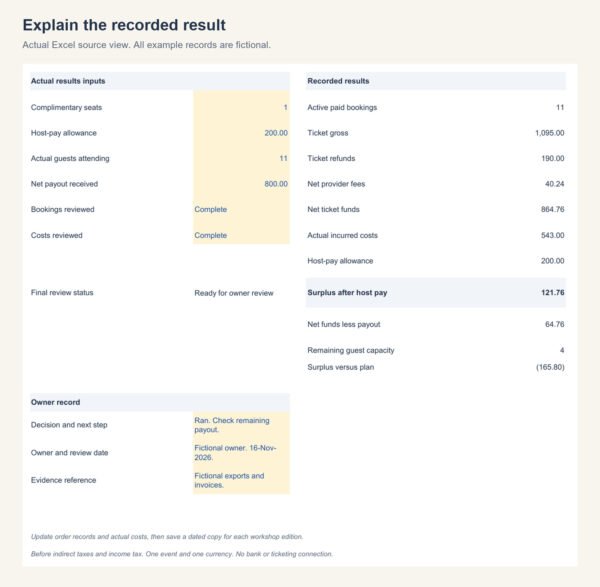
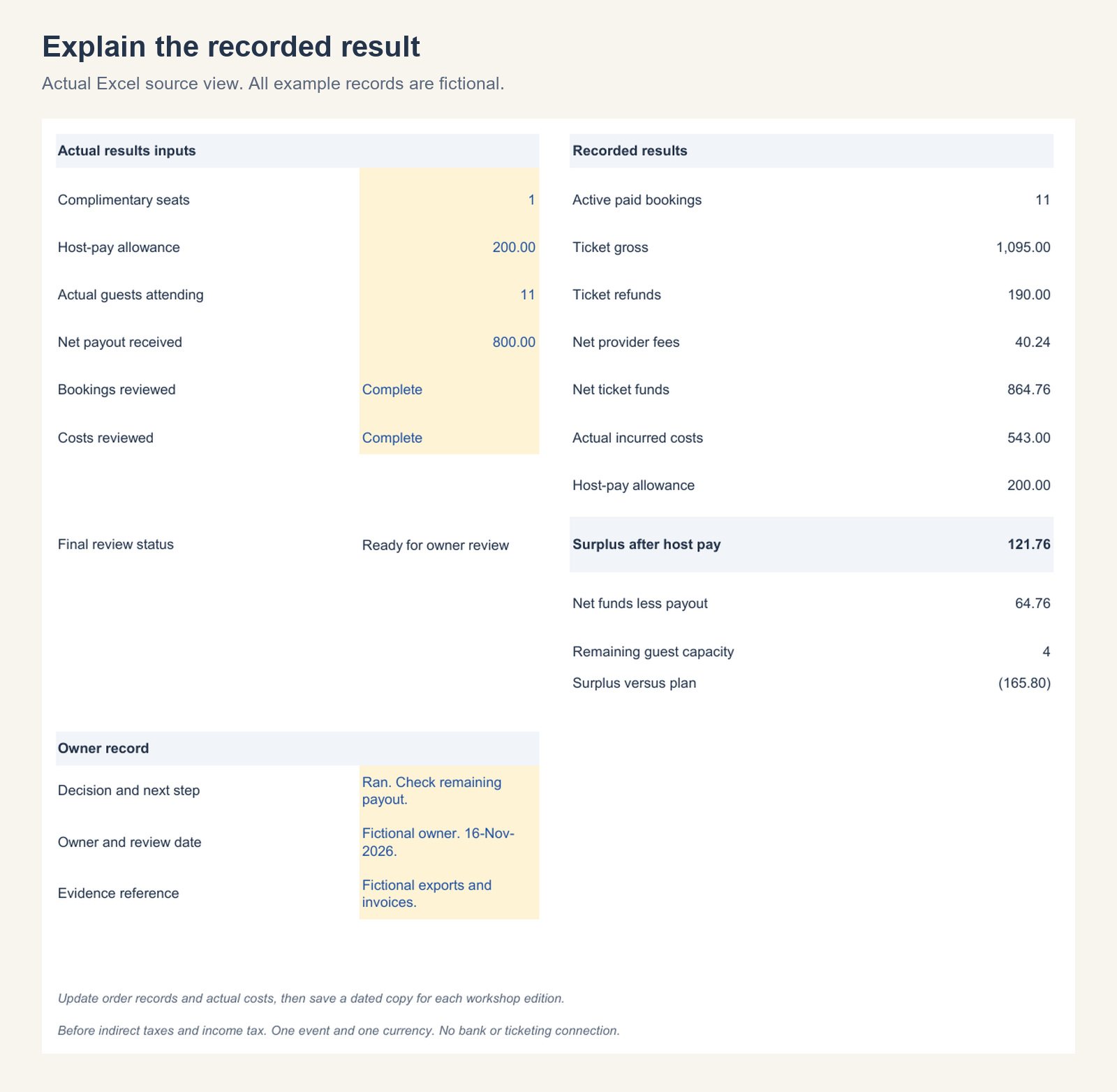
Eight fictional orders then record 1,095.00 in gross ticket money, 190.00 in refunds and 40.24 in retained fees. Net ticket funds are 864.76. Actual incurred costs of 543.00 and a host allowance of 200.00 leave 121.76. The guide explains every order and cost input.
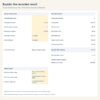
An entered net payout of 800.00 produces a 64.76 comparison difference. This helps you inspect the provider statement; it is not a bank balance, accounting receivable or cash forecast. All names, fees, orders and results in the example are invented teaching data.
Your working process
- Read START-HERE, open the example, then save a dated copy of the blank workbook.
- Build the cost plan and ticket assumptions. Review capacity, break-even and your own booking evidence before recording a decision.
- Update cumulative order records and enter actual incurred cost totals.
- Reconcile against complete exports and invoices, then set Bookings reviewed and Costs reviewed to Complete.
- Enter actual comps, attendance, host allowance and net payout. Record the owner, evidence and next step.
Keep a separate file for each edition. The workbook does not predict demand or make the Run, Postpone or Cancel decision for you.
Software and scope
Tested in Microsoft Excel for Windows 16.0, build 20527, including input changes, missing values, refunds, signed fee credits, capacity conflicts, the final order row, blank-to-complete use, repeated use and save-close-reopen. Final blank and example views were exported from Excel and visually inspected.
Google Sheets, Apple Numbers, Excel for Mac and mobile editing have not been tested. Use the original XLSX format in desktop Excel. Software subscriptions are separate.
One event, one currency and a single planned ticket price. Data entry is manual. Exclude tax collected for others. The workbook does not calculate taxes or include ticketing imports, bank connections, emails, chargebacks, unpaid reservations, transfers, inventory accounting, statutory accounts or automatic refunds. It does not determine cancellation-policy requirements.
For a separate dated cash forecast, compare the Service Business Cash Timing Planner. For a client-service project rather than ticket sales, see the studio template collection.
Worked example and free review brief
Read the workshop break-even and refund guide for the complete fictional method. To present figures you have already checked, use the free Workshop Decision Brief for PowerPoint. The slides update manually and are separate from this Excel workbook.
Delivery, licence and support
Digital download after successful payment. The ZIP is stored in Google Drive and accessed through your order download. One purchase covers one organization or end brand, including reuse for its own paid workshops. You may share completed, non-editable reports for that organization. Resale or public distribution of editable source templates is prohibited. See the included licence and store licence page.
For access assistance, see Download Help. Support: vividreams915@gmail.com.

Reviews
There are no reviews yet.