
Creator Business OS / Native Notion / Version 2
A Notion creator business template for connected daily work
This Notion creator business template connects projects, campaigns, content, tasks and commercial records in one workspace. Duplicate the native template into your own Notion account, then use the example records to learn how a project connects to its work and a deal connects to its payments.
It is designed for independent creators, freelancers and small creator-led businesses that want to keep context together. You enter and maintain your own records. The workspace makes relationships and next actions visible without requiring Notion AI or an external automation subscription.
What the connected workspace includes
9 native databases
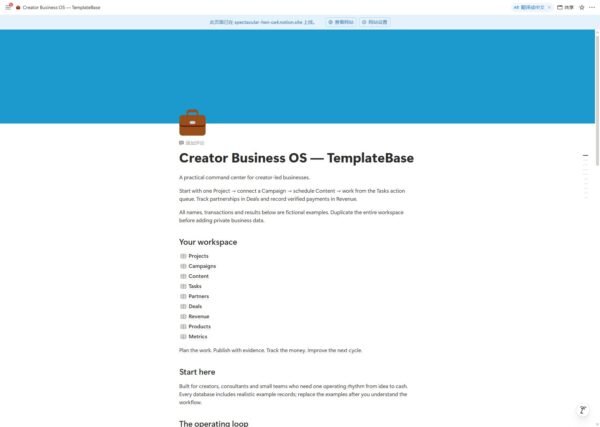
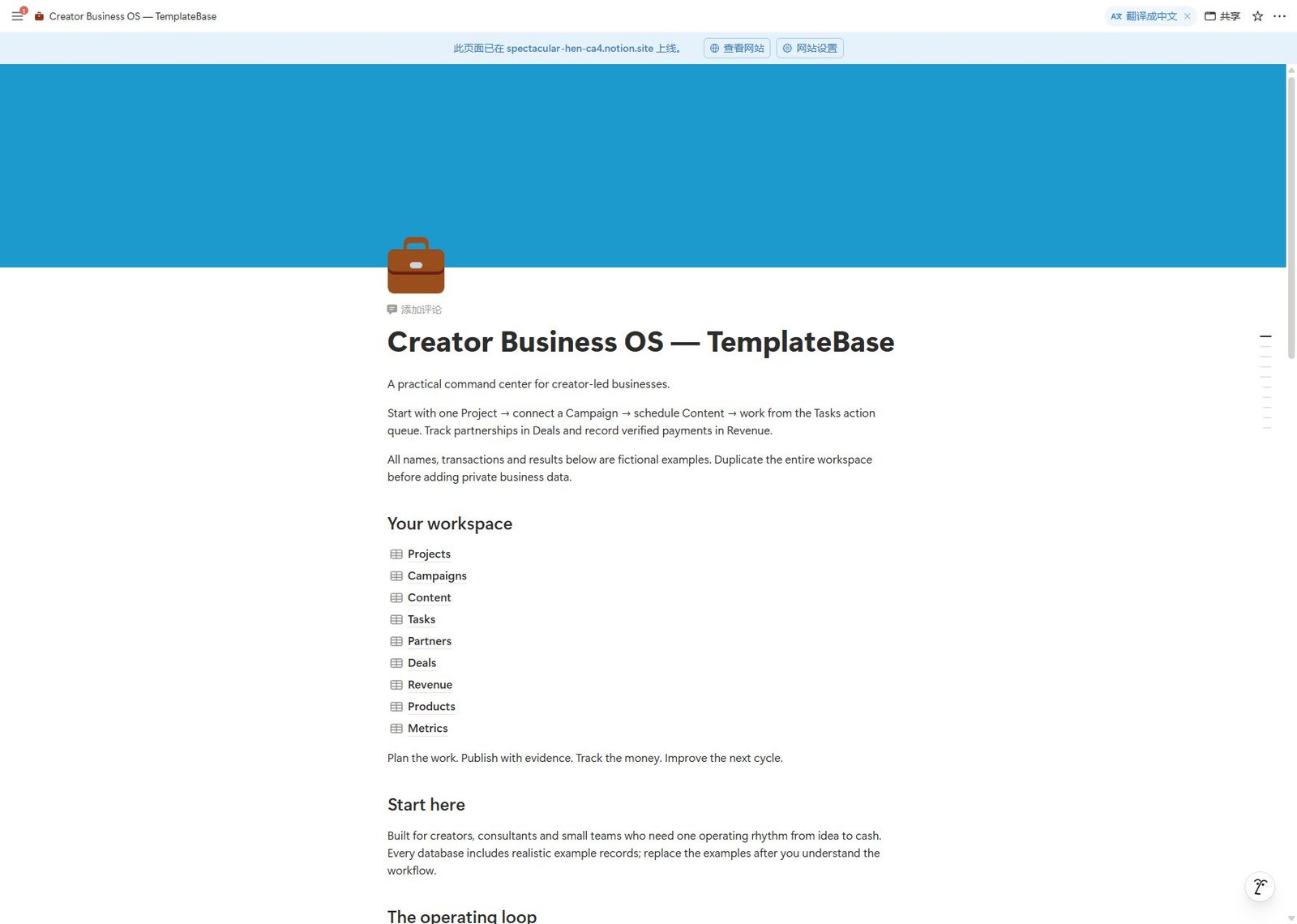
Projects, Campaigns, Content, Tasks, Partners, Deals, Revenue, Products and Metrics, connected by eight two-way relations.
7 working formulas
Open task count, due signal, deal balance, weighted pipeline, net received, metric progress and content preflight.
Guided creation
Five native page templates provide an outcome brief, campaign plan, content brief, next-action task and deal delivery checklist.
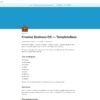
Preview the native workspace
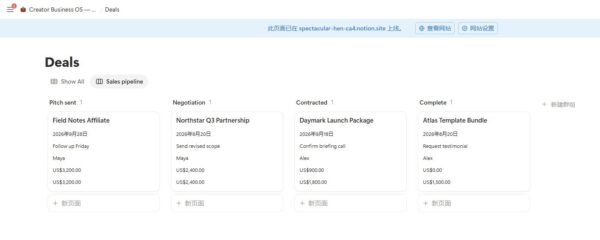
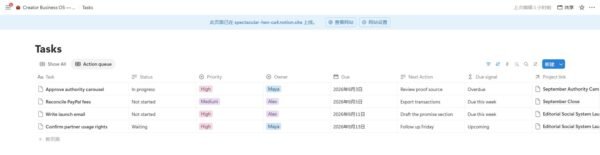
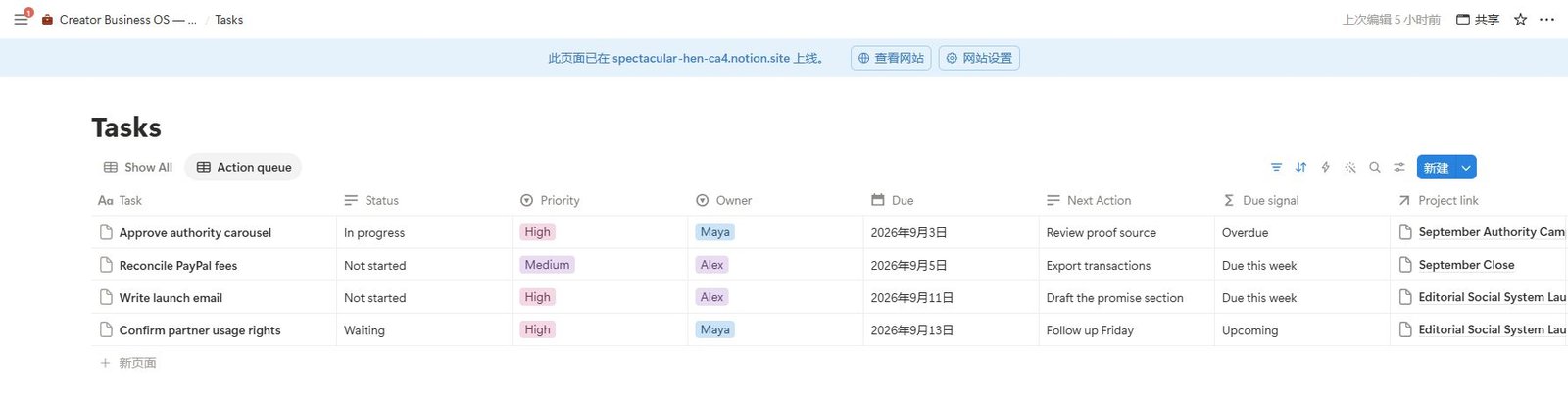
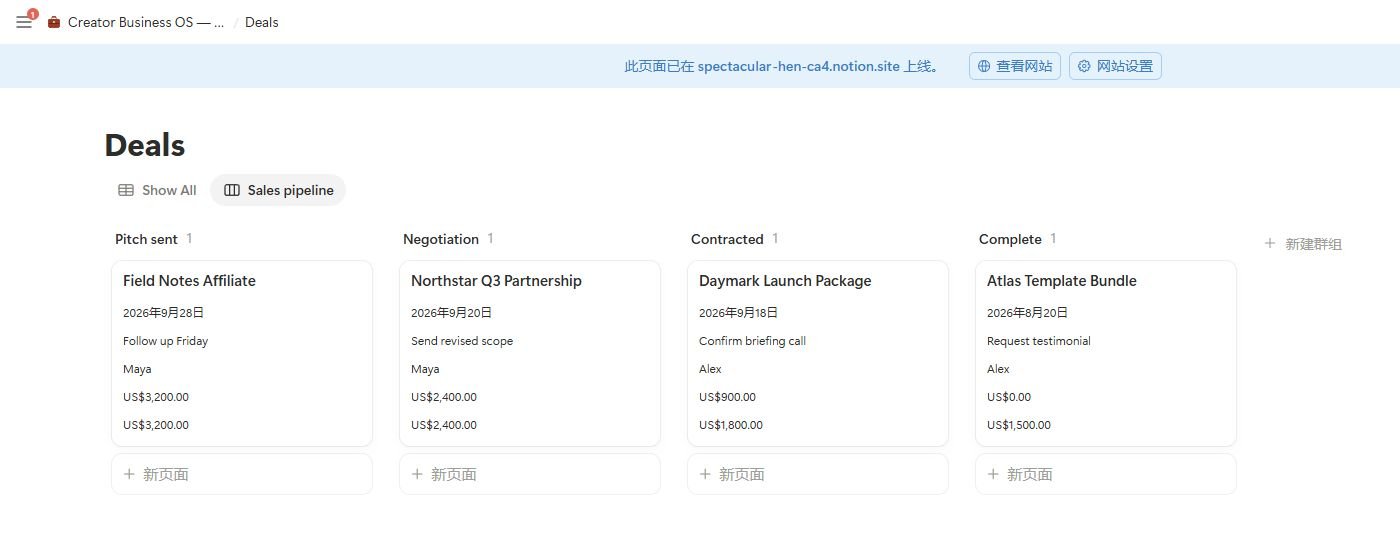
Actual screenshots from the delivered Notion template. All projects, people, deals and amounts are fictional examples. Application controls and date labels may reflect the viewer’s language settings.
Choose the view that fits the decision
| Projects / Pipeline | A board grouped by project status for reviewing active outcomes. |
|---|---|
| Tasks / Action queue | Excludes Done and sorts by Due, with priority, owner, next action and the linked project visible. |
| Content / Editorial calendar | Places content on its planned publish date for reviewing the schedule. |
| Deals / Sales pipeline | A stage board with value, remaining balance, owner, due date and next action. |
| Show All | Every database retains an unfiltered view for checking the complete record set. |
A complete workflow you can try
- Create a project using the outcome brief. Define the result, scope and evidence of completion.
- Create a campaign and connect its Project link. Add content records with Campaign link, then tasks with Project link.
- Review Tasks / Action queue. When a linked task changes to Done, it leaves the queue and the project’s open task count updates.
- For a client opportunity, connect a deal to its partner and project. Record payments in Revenue and connect Deal link.
- Mark a payment Paid only after verifying receipt. The deal balance subtracts linked paid gross amounts. Use the weekly review to reconcile records and decide the next actions.
These calculations use the records you supply. They do not synchronize with PayPal, banks or invoicing apps.
Exact Notion creator business template specifications
| Primary product | 1 native Notion workspace template with duplication access |
|---|---|
| Structure | 9 databases, 8 two-way relations, 7 formulas, 4 focused views and 5 native page templates |
| Examples | 38 fictional records showing the connected workflow |
| Download | 14-file ZIP: native link, start guide, system reference, weekly review worksheet, license and 9 CSV backups |
| Language and currency | English. Financial fields use USD; keep one currency consistent. |
| License | One workspace. Each additional client workspace requires its own license. |
Setup and operating boundaries
Start by duplicating the native template, not by importing the CSV files. CSV backups preserve source rows but do not preserve Notion relations, formulas, views or page templates. The full product is the native workspace.
Use relation fields ending in link to connect records. Legacy text reference fields are retained for import context and are not live relations. Keep the documented status names consistent, or update the formulas and filters if you rename them.
Due signals depend on today’s date and the Due field. Content preflight checks whether key fields are missing; it does not verify truth, permissions or editorial quality. Metric progress assumes a positive target and a higher-is-better measure. Financial examples are simplified and are not a substitute for bookkeeping or tax advice.
Questions before you buy
Do I receive a real Notion template?
Yes. The ZIP contains a duplication link to the native template. The databases, relations, formulas, views and page templates copy into your workspace. The CSV files are additional source backups, not the main delivery.
What does this Notion creator business template automate?
Formulas update counts, due signals and calculated amounts when their source records change. The template does not automatically publish posts, send email, import payments or create scheduled recurring tasks.
Do I need Notion AI?
No Notion AI feature is required for the included workflow. You do need a Notion account and permission to duplicate pages into your workspace. Your workspace’s sharing and collaboration limits depend on your Notion plan.
Can I customize it?
Yes. Rename your records, adjust content and build additional views. Read the system reference before changing formula-sensitive status values or deleting relation properties. Work in your own duplicate and keep an untouched backup.
Is the example revenue real?
No. Every example person, company, transaction and result is fictional. Replace the sample records before using the workspace for your business.
How will I access the template?
When this edition is available for purchase, the paid order provides the Google Drive-hosted ZIP download. Open the native link from that package and select Duplicate in Notion. For access help, visit Download Help or contact TemplateBase support.

Reviews
There are no reviews yet.