
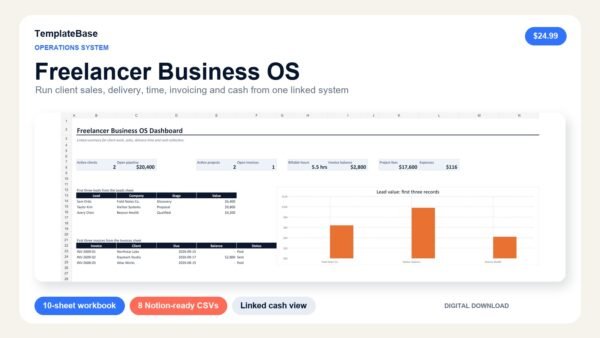




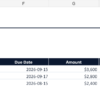
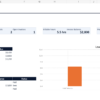
Freelancer Business OS template for managing the commercial and delivery sides of independent work in one connected system. See what is coming in, what is active, what is due and what still needs to be paid without scattering records across disconnected tools.
A practical Freelancer Business OS
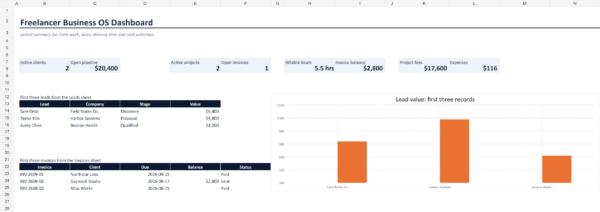
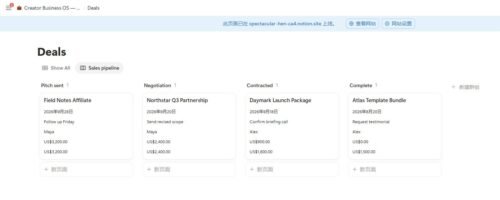
The Excel workbook includes linked dashboards and formulas for a fast weekly review. Eight clean CSV files let you build the same core database structure in Notion while choosing the views and relations that fit your workflow.
What is included
- 10-sheet Excel workbook with start guide and dashboard
- Clients, Leads, Projects, Tasks, Time Log, Invoices, Expenses and Services tables
- Pipeline value, active project, billable time, invoice balance and expense summaries
- Eight Notion-ready CSV database files
- Fictional sample records that demonstrate the workflow
- Quick-start PDF and commercial-use license
Who this Freelancer Business OS template is for
Designed for independent consultants, designers, writers, marketers, developers, virtual assistants and micro-agencies that want a practical operating system without enterprise software.
How to use it
- Save a clean master copy of the Excel workbook.
- Replace the fictional records. Use consistent client and project names across sheets so linked formulas match.
- Review the Dashboard weekly for pipeline, projects, time, invoices and expenses. The lead and invoice lists display the first three source rows; summary cards cover the full input ranges.
- For Notion, import each CSV as a separate database.
- Confirm property types, then manually connect matching client and project records with Notion relations.
Frequently asked questions
Is a Notion account required?
No. The Excel workbook works independently. A Notion account is only needed if you choose to import and use the CSV databases in Notion.
Are the databases already connected in Notion?
The CSVs are import-ready, but Notion relations and rollups must be created after import because CSV does not preserve native database relations.
Can I change statuses, services and rates?
Yes. The workbook and CSV files are editable so you can adapt the system to your service model.
After successful payment, WooCommerce provides the download link in your order confirmation and account area. See Download Help or contact vividreams915@gmail.com.
Reviews
There are no reviews yet.