A project can look busy while its margin gets smaller
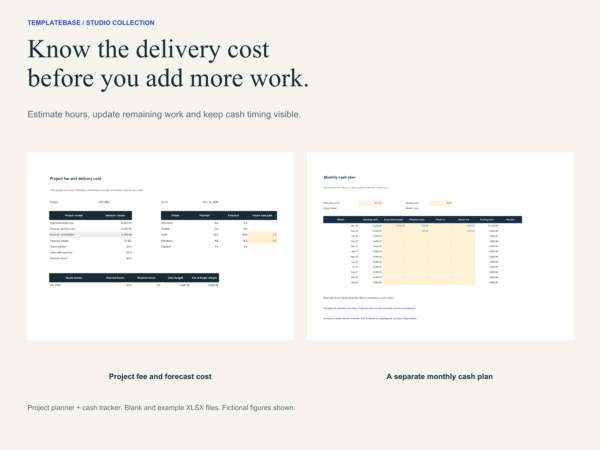
Estimate the delivery effort before quoting. As work develops, log the hours already spent and update what remains. Compare the forecast cost with the approved fee before accepting another request. Keep the studio cash record separate so an unpaid invoice does not look like money in the bank.
Read actual pages before choosing
Open the seven-page studio preview (PDF). It shows selected actual pages across the three separate kits. This is a read-only preview; editable working files are supplied in the paid ZIP.
Two tools with distinct jobs
- Project planner: Blank and Example XLSX files, each with Project review, Estimate and Time log
- Cash tracker: Blank and studio-example XLSX files, each with Summary, Transactions, Cash plan and Start here
- A three-page setup guide, a six-page fictional project walkthrough, file map, version notes and license
From expected effort to a project fee
Enter planned hours, an internal hourly cost, an hours reserve, expected direct costs and a target contribution margin. The planner shows the indicated fee. Update remaining hours and record up to 300 dated time entries to review expected cost to finish.
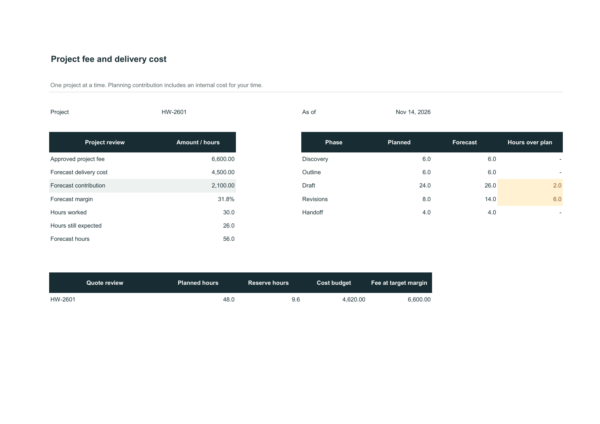
In the fictional example, 48 planned hours plus a 20% reserve and USD 300 direct costs produce a USD 4,620 cost budget. A 30% target margin gives a USD 6,600 fee. At the next review, 30 hours worked and 26 remaining give USD 2,100 forecast contribution. The internal time allocation is a planning measure, not cash paid or accounting profit.
Keep timing visible in the cash plan
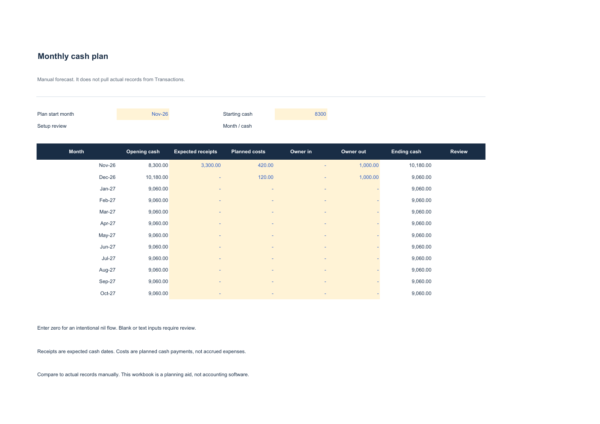
The cash tracker supports 300 receipts and payments and a closing-cash chart. Its manual twelve-month plan keeps receipts, costs and owner transfers visible. The walkthrough shows how delaying the final payment changes November cash without changing the project fee.
The two workbooks do not synchronise. Record cash flows manually and use a consistent month-opening balance when planning. One project at a time in the project planner. Duplicate a clean file for another project.
Software and boundaries
Use Microsoft Excel on desktop. All final XLSX files were recalculated and saved in Excel. Missing required inputs and invalid records produce visible review messages or unavailable affected results. Zero remains a real zero.
Use one currency. There is no bank connection, FX conversion, tax calculation or payroll calculation. Project contribution excludes overhead and tax. Internal hours are an economic allocation, while the cash tracker records cash dates.
How this fits the collection
This is the project economics and cash module. The billing tracker and client communication kit are separate products. The shared walkthrough explains their relationship. This ZIP contains the four XLSX files and guides listed above.
Choose another module only if you need its workflow: Studio Quote and Payment Kit, or Studio Client Proposal, Welcome and Handoff Kit. Compare the three studio kits.
Delivery and studio use
Digital download. After payment, use the download in your order to access the ZIP on Google Drive. Open START-HERE.pdf first. All content is in English. Software subscriptions are separate.
One purchase covers one brand or organization. A purchasing studio can use finished documents under its own brand for client work. Editable source access for another client brand requires a separate license. Reselling or publicly sharing the editable templates is prohibited. See LICENSE.txt and the store license.
Access help: Download Help. Support: vividreams915@gmail.com.