
SaaS financial model template for founders and finance teams who need a decision-ready forecast rather than a blank spreadsheet. This editable Excel system connects customer movement, subscription revenue, operating costs, hiring, cash and investor-grade SaaS metrics in one transparent model.
A connected 36-month SaaS planning system
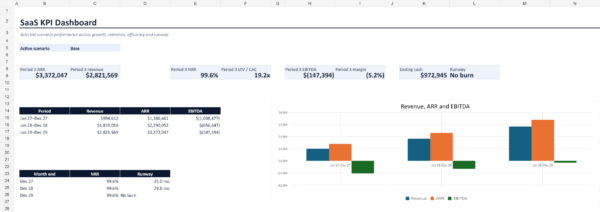
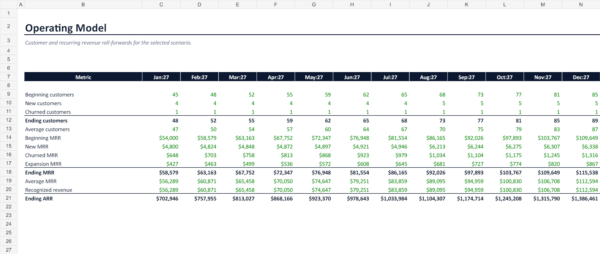
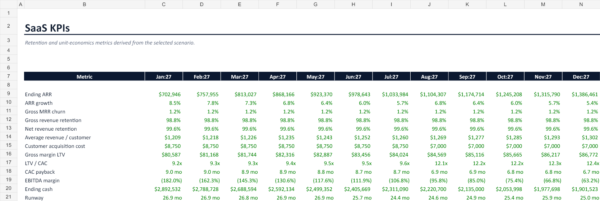
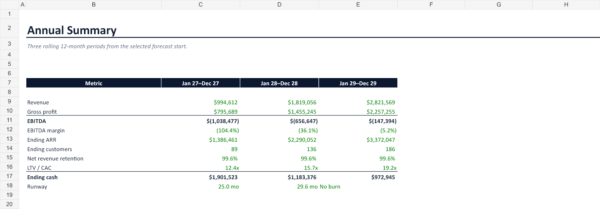
Change the assumptions once and the monthly operating model, profit and loss statement, three rolling 12-month summaries, SaaS KPIs and executive dashboard update together. Use the scenario selector to compare Base, Downside and Upside cases without rebuilding the workbook.
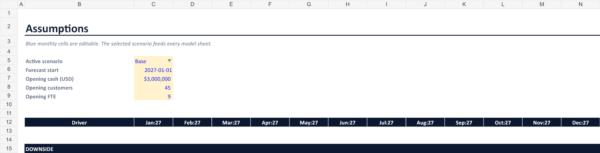
Set the forecast start month in Assumptions: all 36 monthly headers and the three 12-month summaries roll forward together. A runway result of “No burn” means current-month free cash flow is nonnegative, not that future funding needs disappear.
What is included
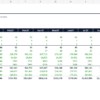
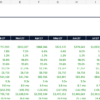
- 36-month monthly operating forecast with three rolling 12-month summaries
- Base, Downside and Upside scenario selector
- Customer movement, pricing and recurring revenue logic
- ARR, MRR, net revenue retention, CAC, LTV/CAC and runway views
- Headcount, payroll, marketing, hosting and operating expense assumptions
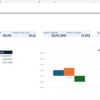
- Connected P&L, cash view, SaaS KPIs and executive dashboard
- Built-in model checks, source notes and a quick-start PDF
- Commercial-use license for your own business or client work
Who this SaaS financial model template is for
Built for subscription software founders, startup finance teams, operators, consultants and fractional CFOs. Use it for annual planning, board preparation, fundraising conversations, hiring decisions and runway reviews.
How to use it
- Save a clean master copy.
- Open Read Me and select a scenario in Assumptions.
- Replace the blue input cells with your own customers, pricing, growth, churn, hiring and cost assumptions.
- Review the model checks before using the forecast externally.
- Use Dashboard, Annual Summary, SaaS KPIs, P&L and Cash, and Operating Model for planning and reporting.
Frequently asked questions
Does it work in Google Sheets?
The source is optimized for Microsoft Excel. You may import it into Google Sheets, but verify formatting, charts and formulas after conversion.
Can I add pricing tiers or cost lines?
Yes. The workbook is editable. Preserve the formula structure or duplicate the model before structural changes.
Is this financial advice?
No. It is an editable planning template. Example values are fictional and should be replaced and reviewed for your business.
After successful payment, WooCommerce provides the download link in your order confirmation and account area. See Download Help or contact vividreams915@gmail.com.

Reviews
There are no reviews yet.